
Comparison · Jitter alternative
Lottie Max vs Jitter
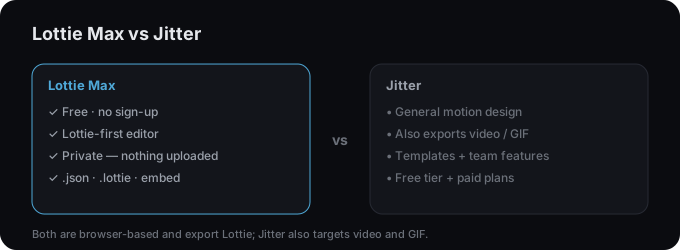
Jitter and Lottie Max are both slick, browser-based motion tools. Jitter is a broader motion-design app (also video/GIF); Lottie Max is Lottie-first, free, and private.
What is Jitter?
Jitter is a polished, browser-based motion design tool with templates and a timeline. It exports to several formats including Lottie, video, and GIF, and offers team features on paid plans.
Side by side
| Lottie Max | Jitter | |
|---|---|---|
| Price | Free (ads + tips) | Free tier + paid plans |
| Account required | No | Yes |
| Focus | Lottie creation & export | General motion (Lottie, video, GIF) |
| Import SVG / from design tools | Yes | Yes |
| Keyframes & timeline | Yes | Yes |
| Privacy | Client-side, nothing uploaded | Cloud-based |
| Export | .json, .lottie, HTML embed | Lottie, video, GIF |
Which should you use?
Pick Lottie Max
You want a free, no-sign-up, Lottie-first editor that keeps your work on your device.
Pick Jitter
You want polished templates and to also export video/GIF, with team collaboration.
Try Lottie Max. Free, in your browser
No account, no install. Design and export a Lottie in minutes.
FAQ
- Is Lottie Max a free Jitter alternative?
- Yes. It’s a free, in-browser editor focused on creating and exporting Lottie, with no account required.
- Can both export Lottie?
- Yes. Lottie Max is Lottie-first; Jitter exports Lottie among other formats.