
Comparison · After Effects Lottie alternative
Lottie Max vs After Effects (Bodymovin)
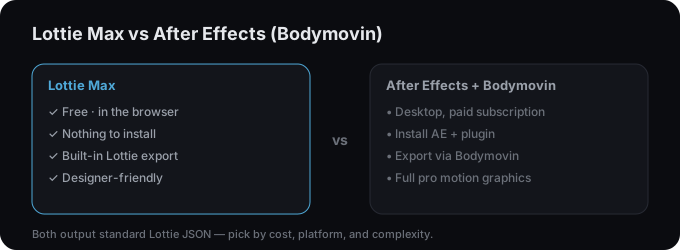
After Effects with the Bodymovin/LottieFiles plugin is the original Lottie pipeline. Powerful but paid and desktop-bound. Lottie Max makes Lottie directly in the browser, free, with no install.
What is After Effects + Bodymovin?
After Effects is Adobe’s professional motion-graphics app; the Bodymovin (LottieFiles) plugin exports AE compositions to Lottie. It’s the industry-standard pipeline. Extremely capable, but it requires an AE subscription and a steeper learning curve.
Side by side
| Lottie Max | After Effects + Bodymovin | |
|---|---|---|
| Price | Free (ads + tips) | After Effects subscription |
| Platform | Browser, any OS | Desktop app |
| Setup | Nothing to install | Install AE + plugin |
| Learning curve | Light, designer-friendly | Steep (pro tool) |
| Export | Built-in .json / .lottie / embed | Via Bodymovin plugin |
| Feature ceiling | Presets + keyframes for web/UI | Full pro motion graphics |
| Best for | Fast web & UI Lottie | Complex, broadcast-grade motion |
Which should you use?
Pick Lottie Max
You want to make a Lottie quickly and for free, without buying or learning After Effects.
Pick After Effects + Bodymovin
You already use After Effects or need pro-grade, highly complex motion graphics.
Try Lottie Max. Free, in your browser
No account, no install. Design and export a Lottie in minutes.
FAQ
- Can I make Lottie without After Effects?
- Yes. Lottie Max creates and exports Lottie entirely in your browser, no After Effects or plugins required.
- Are exports compatible with the AE/Bodymovin workflow?
- Both produce standard Lottie JSON, so the output plays in the same Lottie players.