
Learn
Learn Lottie Max
Follow the learning path, import from your design tool, drop Lottie into your stack, or dig into concepts and comparisons.
The learning path
Seven steps, in order. From a blank canvas to a shipped Lottie.
- 1 Getting started with Lottie Max Create your first Lottie animation in the browser. No install, no account. Draw or paste artwork, animate it with one click, and export. 2 min read
- 2 Import SVG into Lottie Max from Figma, Illustrator, and more Bring artwork from any design tool into Lottie Max as editable layers. Copy-paste from Figma, Illustrator, Sketch, Inkscape, or drop in any .svg file. 2 min read
- 3 Animate with presets: entrance, emphasis, exit, loop One-click motion for any layer. Learn the In / Emphasis / Out slots and the loop presets, and how to retime them on the timeline. 1 min read
- 4 Keyframe animation and easing basics Go beyond presets. Set keyframes for position, scale, rotation, and opacity, then shape the timing with easing for natural motion. 1 min read
- 5 Create a signature write-on animation Make a signature, logo stroke, or hand-drawn line appear to draw itself. The write-on effect animates a stroke from start to finish. 2 min read
- 6 Gradients, strokes, and effects Add depth to your Lottie: linear and radial gradients, dashed strokes, per-corner radius, drop shadows, and gaussian blur. 1 min read
- 7 Export your Lottie: .json, .lottie, and embed Understand every export option in Lottie Max: Lottie JSON, dotLottie, HTML embed, background, looping, and re-openable project files. 1 min read
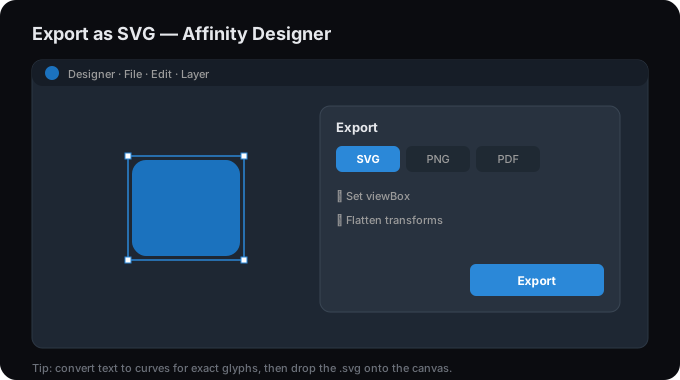
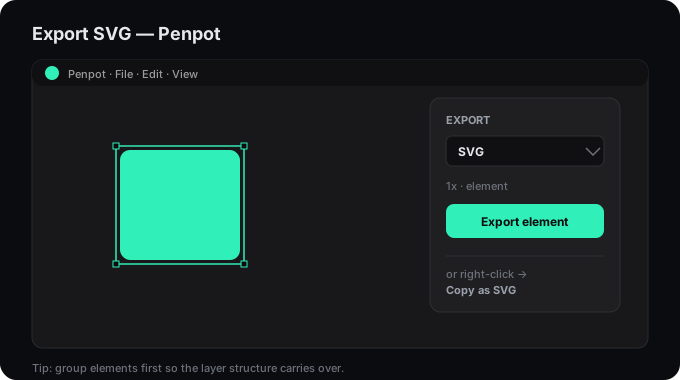
Import from your tool
Get an SVG out of your design tool and into the studio.
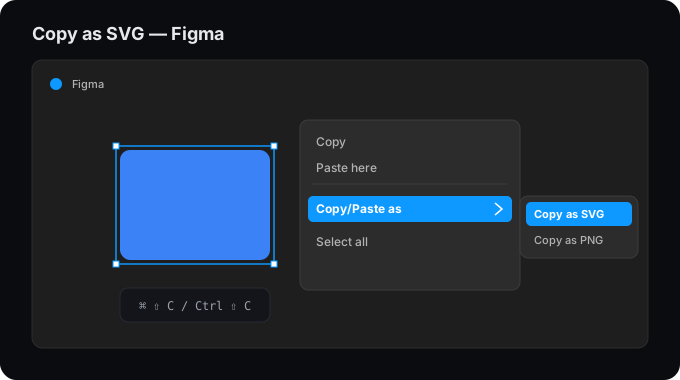
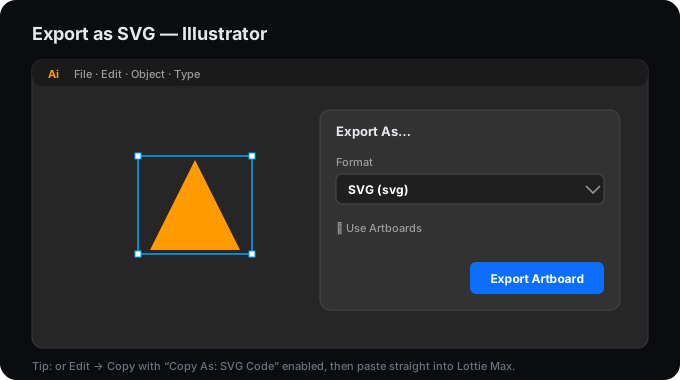
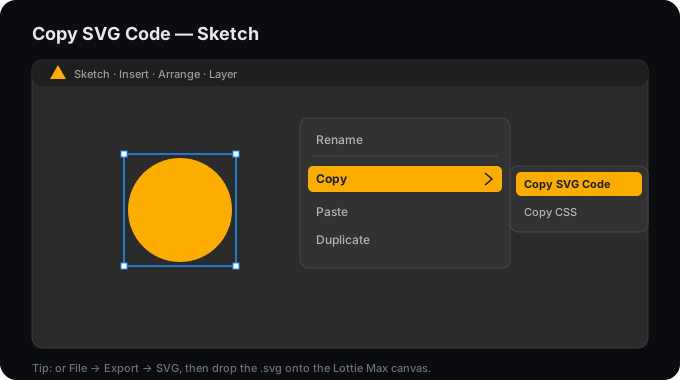
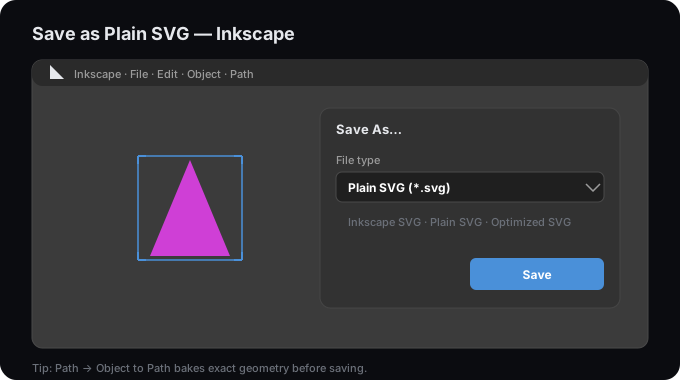
Use Lottie in your stack
Drop your exported animation into any framework or platform.
Concepts
The fundamentals, what Lottie is and how it works.
Is Lottie good for performance?
Lottie is usually a performance win: small vector files instead of heavy media. Here's when it's fast, when to be careful, and how to keep it smooth.
How Lottie animations work
Under the hood of Lottie: a JSON description of layers and keyframes that a player interpolates and renders to SVG or canvas at runtime.
What is Lottie? The animation format, explained
Lottie is a tiny, scalable, JSON-based animation format that plays on web and apps. Here's what it is, why designers use it, and how to make one.
What is a .lottie file (dotLottie)?
A .lottie file is a compact, zipped package for Lottie animations: about 3× smaller than .json, able to bundle multiple animations, assets, and themes.
Tutorials by use case
Recipes for the things people animate most.
How to animate a logo as a Lottie
Turn a static logo into an animated Lottie: import the SVG, reveal it with a write-on or pop, add a subtle loop, and export. Free, in your browser.
How to create animated icons with Lottie
Turn static icons into delightful animated Lottie icons: import the SVG, animate strokes and shapes, and export tiny files for web and app.
How to make a Lottie loading spinner
Build a lightweight, infinitely looping loading spinner as a Lottie and export it for web or app. Crisp, tiny, and smooth at any size.
How to create scroll-triggered Lottie animations
Drive a Lottie animation with scroll: play on view or scrub frame-by-frame as the user scrolls. Export from Lottie Max and wire it up with a few lines.
How to design micro-interactions with Lottie
Build button, toggle, and feedback micro-interactions as Lottie animations. Small, responsive motion that makes a UI feel alive.
Comparisons & conversions
How Lottie stacks up, and how to get there from other formats.
SVG to Lottie
Convert any SVG into an animated Lottie file. Free, in your browser.
Lottie vs GIF
Quality, file size, transparency, and interactivity compared.
Lottie vs Video
Lottie vs video for web and app motion: file size, quality, transparency, and interactivity compared. See when to use each.
Lottie vs CSS animation
Lottie vs CSS animation: complexity, authoring, designer handoff, and performance compared. Learn which fits your motion.
Lottie vs SVG animation
Lottie vs animated SVG (SMIL or JS): tooling, complexity, portability, and browser support compared.
Lottie vs APNG
Lottie vs APNG: vector vs raster, file size, scalability, and interactivity compared for modern web motion.
dotLottie vs Lottie JSON
.lottie vs .json: file size, bundling, player support, and editability compared, and which to export from Lottie Max.
Lottie Max vs alternatives
How Lottie Max compares to other Lottie creators and pipelines.