
Integration · Web frameworks
How to use Lottie in Angular
ngx-lottie wraps lottie-web for Angular. Register the player once, then drop <ng-lottie> wherever you need motion.
Install
Add the player package ngx-lottie lottie-web.
Terminal
npm install ngx-lottie lottie-webAdd the animation
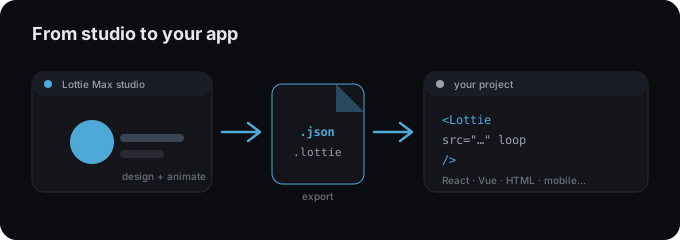
- 1 Export your animation as .json into src/assets.
- 2 Install ngx-lottie and lottie-web.
- 3 Register provideLottieOptions in your app config (or LottieModule in NgModule apps).
- 4 Import LottieComponent and use <ng-lottie [options]="...">.
app.config.ts
import { provideLottieOptions } from "ngx-lottie";

export const appConfig = {
  providers: [
    provideLottieOptions({ player: () => import("lottie-web") }),
  ],
};
hero.component.html
<ng-lottie [options]="{ path: '/assets/animation.json' }" />Tips
- → Lazy-load the player with player: () => import("lottie-web") to keep bundles small.
- → Reference files from /assets so Angular serves them.
- → Hook (animationCreated) to grab the AnimationItem for playback control.
Need an animation first?
Design and export one in the studio. Free, in your browser.
FAQ
- Is Lottie Max free to use with Angular?
- Yes. Lottie Max is free and runs in your browser. Make the animation, export it, and drop it into your project.
- What file should I export for Angular?
- A Lottie .json works everywhere. For a smaller file, export .lottie (dotLottie, ~3× smaller) where the player supports it.
- Where do I get the animation file?
- Create it in the Lottie Max studio, then use Export to download .json / .lottie or copy a ready-to-paste embed snippet.