
Integration · Mobile
How to use Lottie in React Native
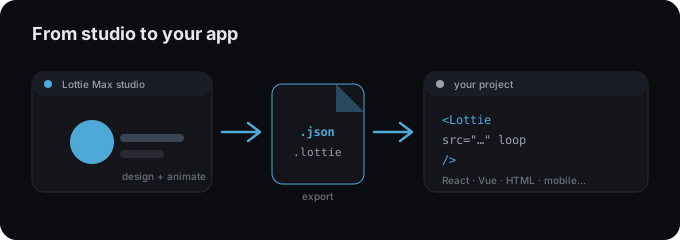
lottie-react-native is the official wrapper for apps. Bundle your exported .json and render it with <LottieView>.
Install
Add the player package lottie-react-native.
Terminal
npm install lottie-react-nativeAdd the animation
- 1 Export your animation as .json from Lottie Max.
- 2 Install lottie-react-native (run pod install for iOS).
- 3 Bundle the file with source={require("./animation.json")}.
- 4 Use autoPlay, loop, and a style with explicit dimensions.
Splash.jsx
import LottieView from "lottie-react-native";

export default function Splash() {
  return (
    <LottieView
      source={require("./animation.json")}
      autoPlay loop
      style={{ width: 200, height: 200 }}
    />
  );
}
Tips
- → On iOS, run npx pod-install after adding the package.
- → Give the view explicit width/height. It has no intrinsic size.
- → Drive playback with a ref and the progress prop for interactive animations.
Need an animation first?
Design and export one in the studio. Free, in your browser.
FAQ
- Is Lottie Max free to use with React Native?
- Yes. Lottie Max is free and runs in your browser. Make the animation, export it, and drop it into your project.
- What file should I export for React Native?
- A Lottie .json works everywhere. For a smaller file, export .lottie (dotLottie, ~3× smaller) where the player supports it.
- Where do I get the animation file?
- Create it in the Lottie Max studio, then use Export to download .json / .lottie or copy a ready-to-paste embed snippet.