
Integration · Web frameworks
How to use Lottie in React
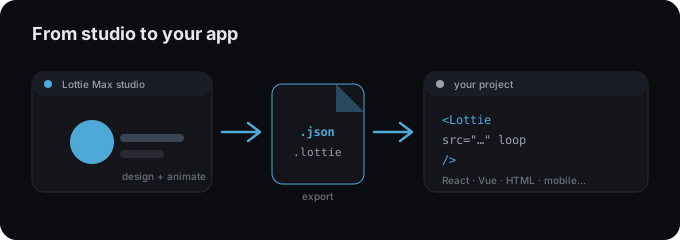
React has a tiny, well-maintained wrapper called lottie-react. Export your animation from Lottie Max, drop in the JSON, and render it.
Install
Add the player package lottie-react.
Terminal
npm install lottie-reactAdd the animation
- 1 In Lottie Max, export Download Lottie .json (or .lottie).
- 2 Install the player: npm install lottie-react.
- 3 Import the JSON and pass it to <Lottie animationData={...} />.
- 4 Use the loop and autoplay props, and size it with style or CSS.
Hero.jsx
import Lottie from "lottie-react";
import animation from "./animation.json";

export default function Hero() {
  return <Lottie animationData={animation} loop autoplay style={{ width: 320 }} />;
}
Using a .lottie file
import { DotLottieReact } from "@lottiefiles/dotlottie-react";

export default function Hero() {
  return <DotLottieReact src="/animation.lottie" loop autoplay />;
}
Tips
- → Keep the .json inside src/ so your bundler includes it.
- → For the smaller dotLottie format, use @lottiefiles/dotlottie-react and the src prop.
- → Control playback with a ref (play, pause, goToAndStop) when you need interactivity.
Need an animation first?
Design and export one in the studio. Free, in your browser.
FAQ
- Is Lottie Max free to use with React?
- Yes. Lottie Max is free and runs in your browser. Make the animation, export it, and drop it into your project.
- What file should I export for React?
- A Lottie .json works everywhere. For a smaller file, export .lottie (dotLottie, ~3× smaller) where the player supports it.
- Where do I get the animation file?
- Create it in the Lottie Max studio, then use Export to download .json / .lottie or copy a ready-to-paste embed snippet.