
Integration · Web frameworks
How to use Lottie in Vue
vue3-lottie gives Vue 3 a simple <Vue3Lottie> component. Export your animation and pass it in.
Install
Add the player package vue3-lottie.
Terminal
npm install vue3-lottieAdd the animation
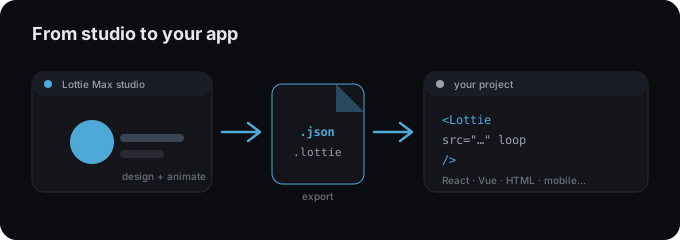
- 1 Export your animation as .json from Lottie Max.
- 2 Install vue3-lottie.
- 3 Import the JSON and pass it to <Vue3Lottie :animationData="..." />.
- 4 Set loop, autoPlay, and size via props.
Hero.vue
<script setup>
import { Vue3Lottie } from "vue3-lottie";
import animation from "./animation.json";
</script>

<template>
  <Vue3Lottie :animationData="animation" :loop="true" :autoPlay="true" :height="320" />
</template>
Tips
- → Register the component locally per file (shown above) or globally in main.js.
- → Use :width / :height props to size the animation.
- → Bind a ref to control play/pause/seek programmatically.
Need an animation first?
Design and export one in the studio. Free, in your browser.
FAQ
- Is Lottie Max free to use with Vue?
- Yes. Lottie Max is free and runs in your browser. Make the animation, export it, and drop it into your project.
- What file should I export for Vue?
- A Lottie .json works everywhere. For a smaller file, export .lottie (dotLottie, ~3× smaller) where the player supports it.
- Where do I get the animation file?
- Create it in the Lottie Max studio, then use Export to download .json / .lottie or copy a ready-to-paste embed snippet.