
Integration · Web frameworks
How to use Lottie in Next.js
Lottie players touch browser APIs, so in Next.js they must run on the client. Use a Client Component, or a dynamic import with SSR disabled.
Install
Add the player package lottie-react.
Terminal
npm install lottie-reactAdd the animation
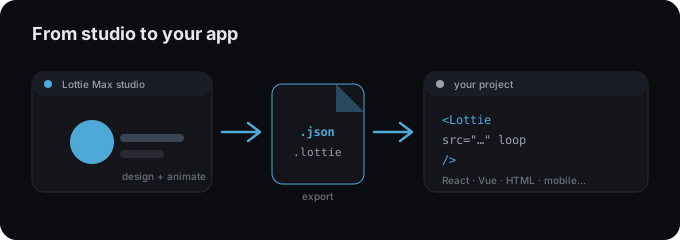
- 1 Export your animation as .json from Lottie Max.
- 2 Install lottie-react.
- 3 Add "use client" to the component that renders the animation (App Router).
- 4 Import the JSON and render <Lottie animationData={...} />.
app/Hero.tsx (Client Component)
"use client";
import Lottie from "lottie-react";
import animation from "@/public/animation.json";

export function Hero() {
  return <Lottie animationData={animation} loop />;
}
Dynamic import (no SSR)
import dynamic from "next/dynamic";

const Lottie = dynamic(() => import("lottie-react"), { ssr: false });
Tips
- → App Router components are server-rendered by default. The player needs "use client".
- → Alternatively, dynamic(() => import("lottie-react"), { ssr: false }) skips SSR.
- → Place the .json in /public if you prefer to load it by URL.
Need an animation first?
Design and export one in the studio. Free, in your browser.
FAQ
- Is Lottie Max free to use with Next.js?
- Yes. Lottie Max is free and runs in your browser. Make the animation, export it, and drop it into your project.
- What file should I export for Next.js?
- A Lottie .json works everywhere. For a smaller file, export .lottie (dotLottie, ~3× smaller) where the player supports it.
- Where do I get the animation file?
- Create it in the Lottie Max studio, then use Export to download .json / .lottie or copy a ready-to-paste embed snippet.