
Integration · Web frameworks
How to use Lottie in Svelte
Svelte works cleanly with the core lottie-web player: create a container, load the animation in onMount, and destroy it on cleanup.
Install
Add the player package lottie-web.
Terminal
npm install lottie-webAdd the animation
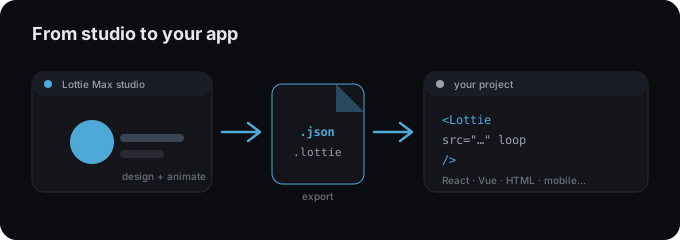
- 1 Export your animation as .json and put it in the static/public folder.
- 2 Install lottie-web.
- 3 In onMount, call lottie.loadAnimation with a container and the path.
- 4 Return anim.destroy() so it cleans up on unmount.
Hero.svelte
<script>
  import { onMount } from "svelte";
  import lottie from "lottie-web";

  let container;
  onMount(() => {
    const anim = lottie.loadAnimation({
      container, renderer: "svg", loop: true, autoplay: true,
      path: "/animation.json",
    });
    return () => anim.destroy();
  });
</script>

<div bind:this={container} style="width: 320px"></div>
Tips
- → Always destroy the animation on cleanup to avoid leaks.
- → Use renderer: "svg" for crisp scaling, or "canvas" for many shapes.
- → Prefer the dotLottie web component if you want a drop-in tag instead.
Need an animation first?
Design and export one in the studio. Free, in your browser.
FAQ
- Is Lottie Max free to use with Svelte?
- Yes. Lottie Max is free and runs in your browser. Make the animation, export it, and drop it into your project.
- What file should I export for Svelte?
- A Lottie .json works everywhere. For a smaller file, export .lottie (dotLottie, ~3× smaller) where the player supports it.
- Where do I get the animation file?
- Create it in the Lottie Max studio, then use Export to download .json / .lottie or copy a ready-to-paste embed snippet.