
Integration · Mobile
How to use Lottie in Flutter
The lottie package on pub.dev renders Lottie in Flutter from an asset, a file, or a network URL.
Install
Add the player package lottie.
Terminal
flutter pub add lottieAdd the animation
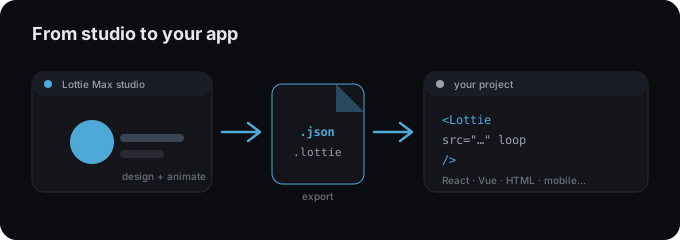
- 1 Export your animation as .json from Lottie Max.
- 2 Add it under assets/ and declare the folder in pubspec.yaml.
- 3 flutter pub add lottie.
- 4 Render with Lottie.asset(...) or Lottie.network(...).
main.dart
import 'package:lottie/lottie.dart';

// Bundled asset (declare it in pubspec.yaml):
Lottie.asset('assets/animation.json');

// Or load from a URL:
Lottie.network('https://example.com/animation.json');
Tips
- → Remember to list the asset path under flutter: assets: in pubspec.yaml.
- → Use a controller for custom play/pause and scrubbing.
- → Lottie.network is handy for animations you update without an app release.
Need an animation first?
Design and export one in the studio. Free, in your browser.
FAQ
- Is Lottie Max free to use with Flutter?
- Yes. Lottie Max is free and runs in your browser. Make the animation, export it, and drop it into your project.
- What file should I export for Flutter?
- A Lottie .json works everywhere. For a smaller file, export .lottie (dotLottie, ~3× smaller) where the player supports it.
- Where do I get the animation file?
- Create it in the Lottie Max studio, then use Export to download .json / .lottie or copy a ready-to-paste embed snippet.