
Getting started with Lottie Max
Create your first Lottie animation in the browser. No install, no account. Draw or paste artwork, animate it with one click, and export.
- #basics
- #getting-started
- #lottie
Lottie Max is a free, browser-based animation studio. Everything runs locally, nothing is uploaded, and you don’t need an account. This guide walks you from a blank canvas to an exported Lottie in about five minutes.
1. Open the studio
From the home page, click Blank canvas to start fresh, pick a Template to start from a working animation, or Paste SVG if you’ve copied artwork from a design tool (Figma, Illustrator, and others). New projects default to a 1920×1080 canvas, you can change the size, FPS, duration, and background any time in the Composition panel.
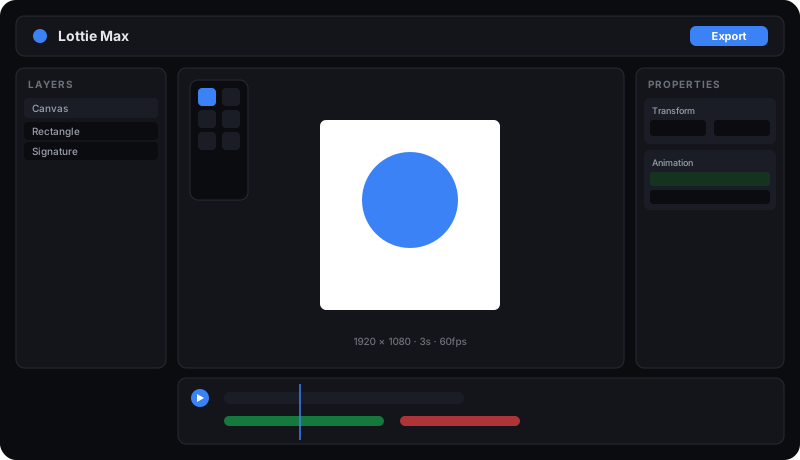
The studio has four zones:
- Tool palette (top-left of the canvas): select, shapes, text, image, pen.
- Canvas (center): your artboard. Pan with scroll, zoom with Cmd/Ctrl+scroll.
- Layers panel (left): every layer, with the Canvas pinned at the top.
- Properties panel (right), edit whatever’s selected.
- Timeline (bottom): scrub, play, and see your animations.
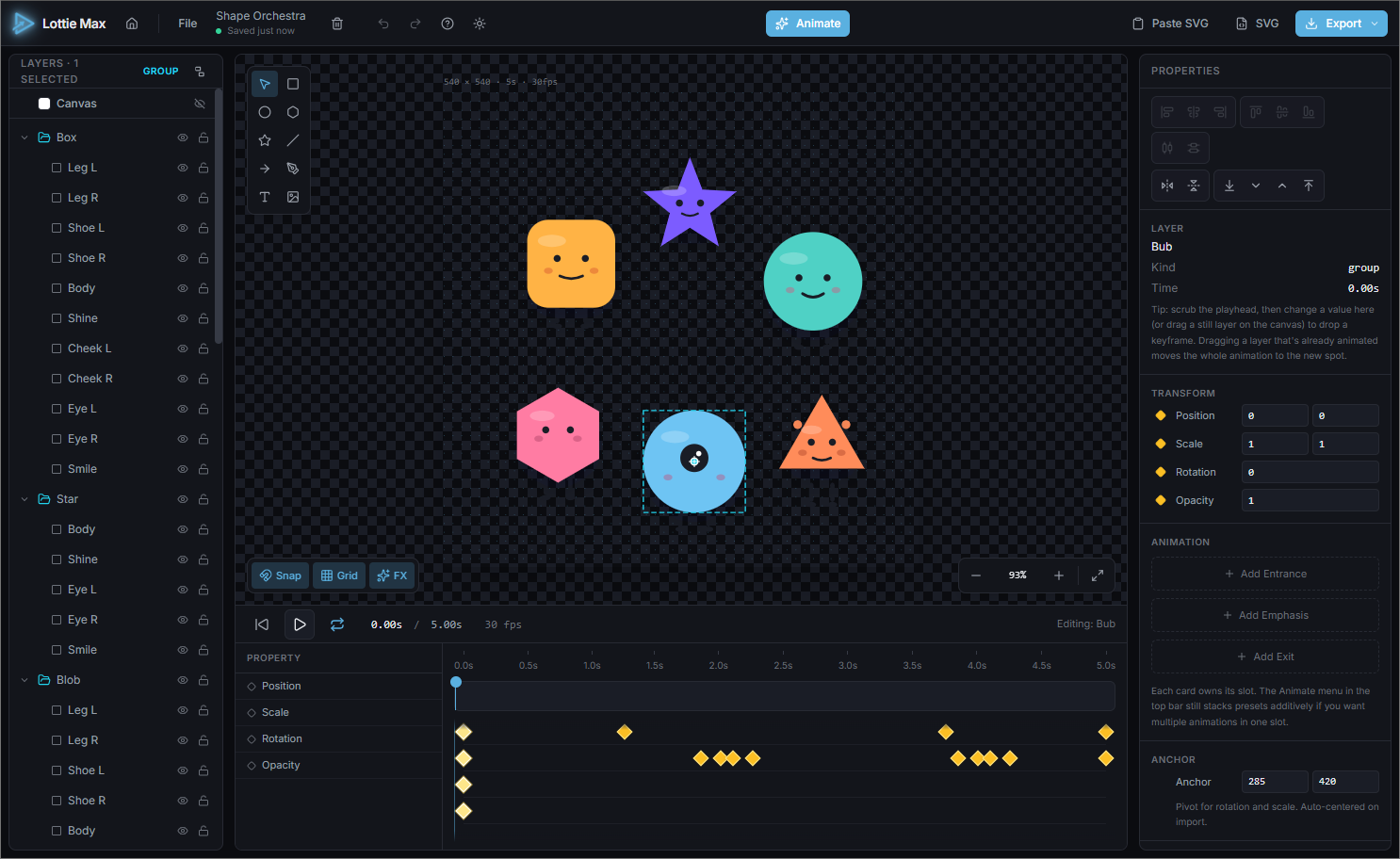
2. Add something to animate
Pick a tool from the palette and drag on the canvas:
- Rectangle / Ellipse / Polygon / Star, drag to size. Hold Shift for a perfect square/circle, Alt to draw from the center.
- Text: click, then type. Double-click any text later to edit it inline.
- Image, pick a file; it’s embedded so your export is self-contained.
You can also paste artwork as SVG from any design tool (Figma, Illustrator, Sketch, and more). See importing SVG.
Select a layer and use the Properties panel to set fill color, size, corner radius, and more.
3. Animate it
Select your layer, then in the Properties panel find the Animation section. You’ll see three slots: Entrance · Emphasis · Exit. Click + Add on a slot and pick a preset, try Pop In for an entrance.
Press Play in the timeline (or the spacebar) to preview. The loop button keeps playback running so you can watch it cycle.
4. Export
Click Export (top-right). You’ll get:
- Save project, a re-openable
.ltmax.jsonto keep editing later. - Download Lottie .json, drop into any Lottie player.
- Download .lottie: zipped, ~3× smaller.
- Copy embed snippet, paste into any HTML page and you’re live.
That’s it. You’ve made a Lottie. Next, learn how to import artwork from any design tool or animate with keyframes.
Try it in the studio
No account, nothing to install. It runs in your browser.